Instander Revived

Instander. A modified Instagram for Android.

A build of Instagram 454 with the features of the old Instander: ghost mode, no ads, downloads and full-quality media. Each one is a switch in settings: ad blocking, downloads and full quality are on from the start, ghost mode is off until you turn it on.

Choose your APK

Original replaces Instagram

64-bit 32-bit

Clone next to Instagram

64-bit 32-bit

The same files as in the channel, straight from our server. Original replaces Instagram; Clone installs next to it. Almost every phone of recent years is 64-bit.

Base
Instagram 454.0.0.54.77
Android
9 or newer, arm64, armeabi-v7a (beta)
Languages
13, English included

An unofficial, non-commercial project, not affiliated with Meta. Telegram channel

Made with ❤️ to the legacy of the_dise

Long-press the Home tab

A settings menu inside Instagram

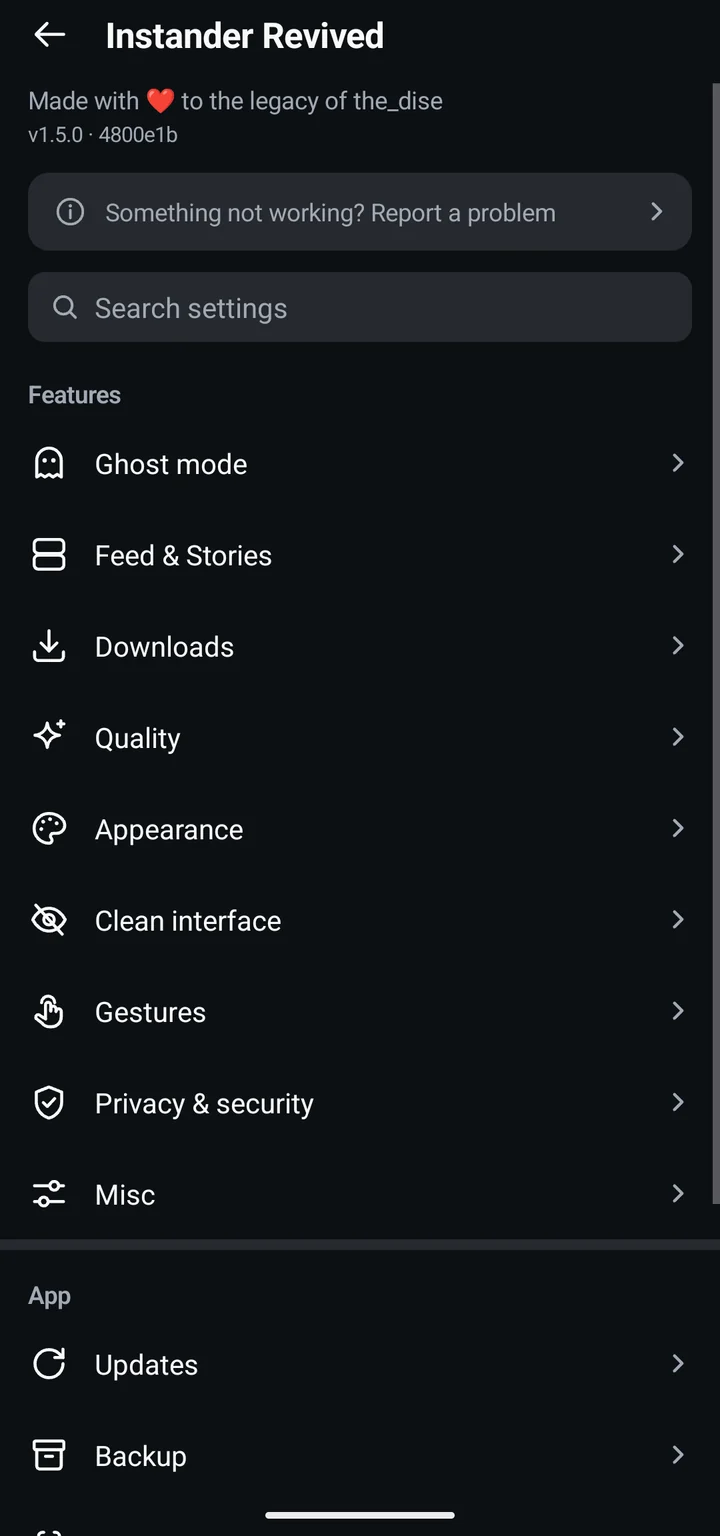
Settings: Profile → ☰ → "Instander Revived", or long-press the Home tab for quick access.

On from the start

No ads
Feed, stories and Reels
Downloads
Posts, stories, Reels and Direct media
Full quality
1080p uploads, and Direct without the 720p squeeze
Updates
Checks for new releases and asks before downloading

Off until you turn it on

Ghost mode
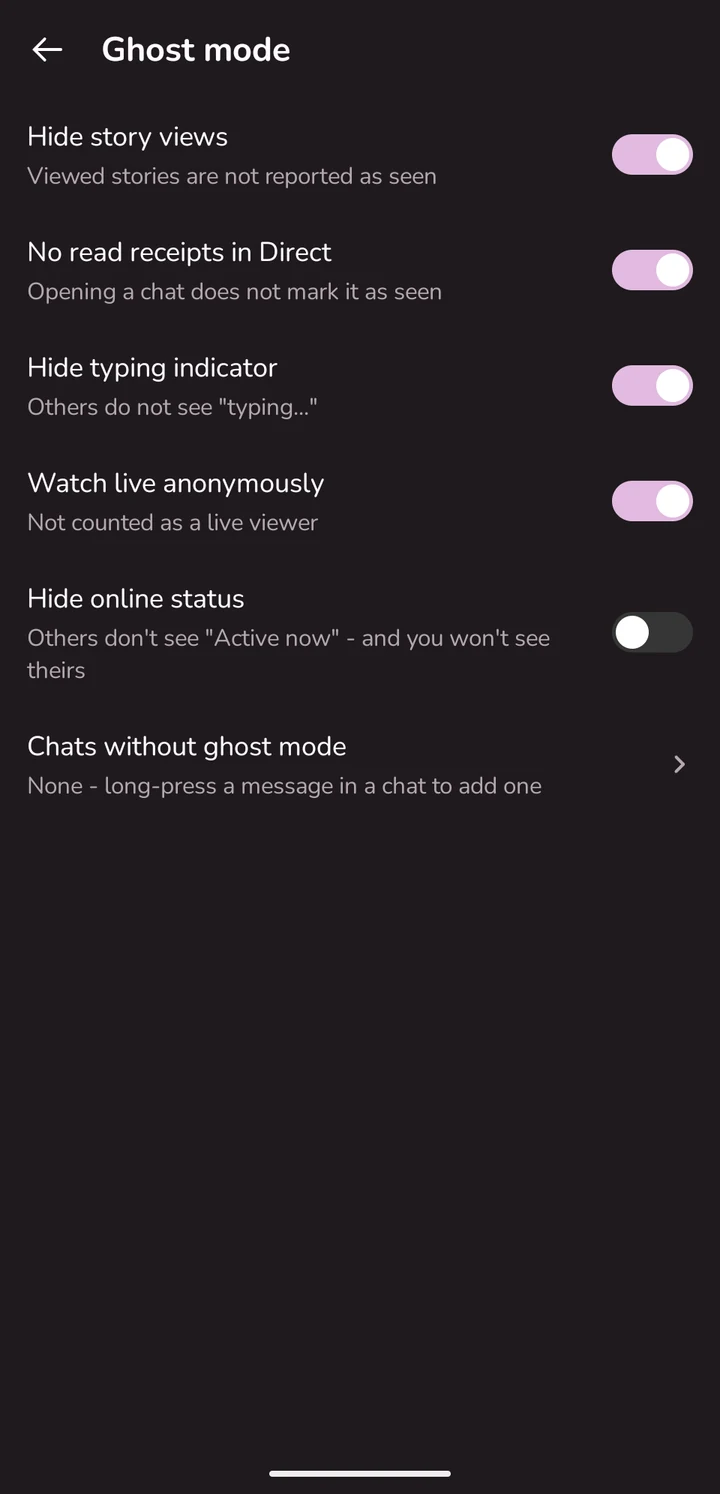
Story views, Seen and typing hidden once you turn it on
Privacy
Optional analytics blocking and app lock
Instander Revived settings in Instagram's own style: categories with icons and search
The settings screen

What changes

Privacy

  • Story and live views aren't reported; stories you watched stay seen after a refresh
  • No "Seen" or "typing…" in Direct
  • "Mark as seen" for a single story, in the viewer or by a long press on its circle
  • App lock: fingerprint, face or screen lock
  • Analytics that Instagram sends to Meta blocked, and its local analytics queue stopped — optional
  • Direct and the Reels fullscreen view: screenshots and screen recording allowed, no screenshot alerts — optional; view-once media can be downloaded
Ghost mode settings: hide story views, Seen and typing in Direct

Feed

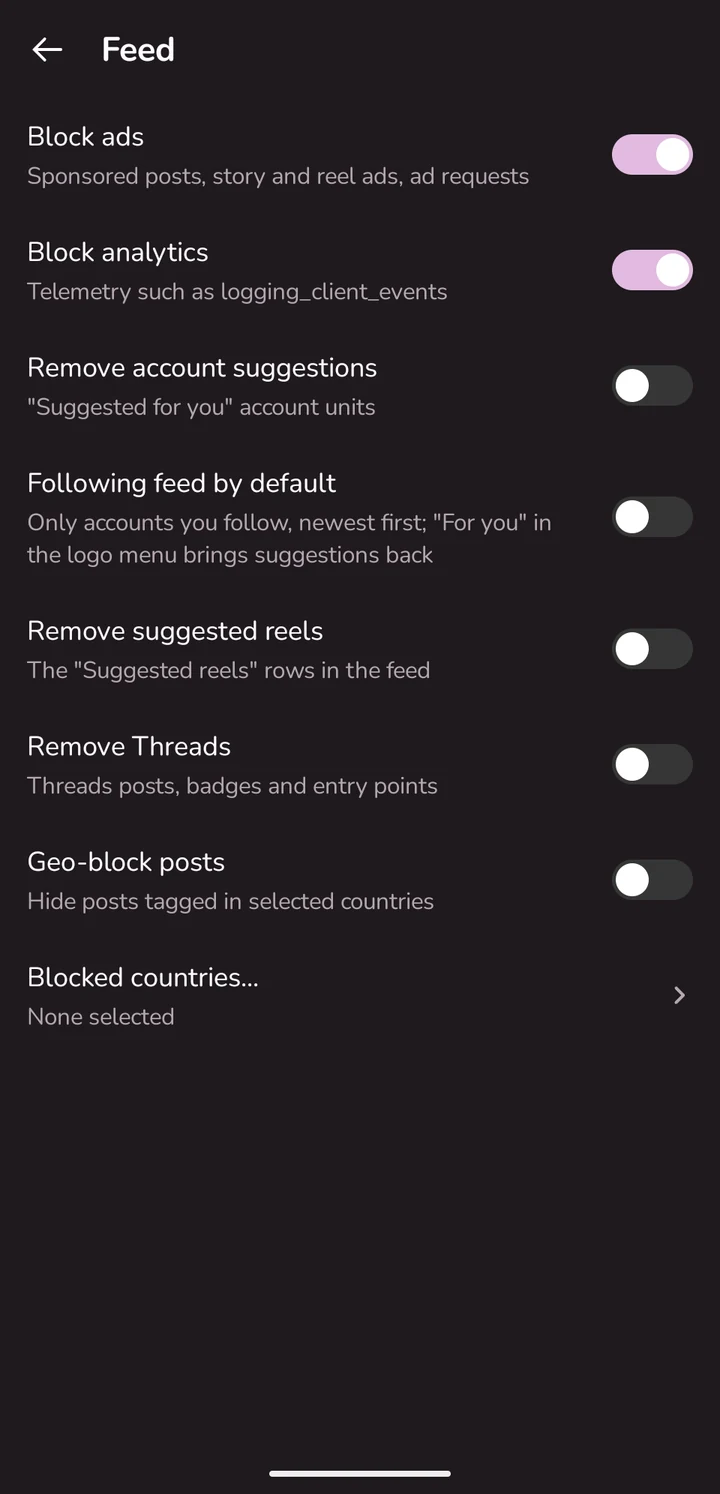
  • No ads in the feed, stories or Reels
  • Opens on the Following feed: only accounts you follow, newest first; "For you" stays in the logo menu — optional
  • Suggested accounts and reels removed — optional
  • Threads, Meta AI, Notes, the Reels and Create tabs hidden — optional
  • Posts geotagged in countries you pick hidden — optional
Feed & Stories settings: suggestion filters, the Following feed, Reels and stories

Downloads and text

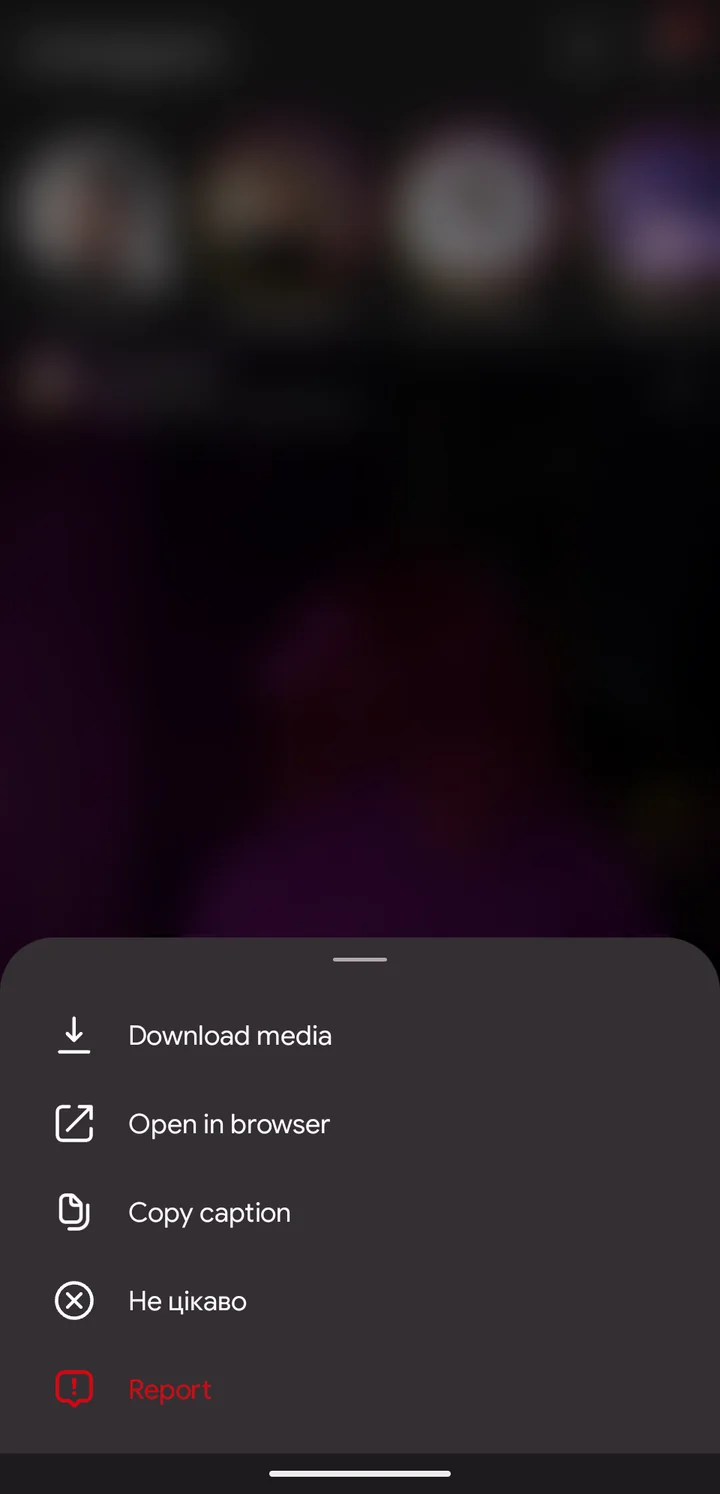
  • Photos, videos and whole carousels from a post's "⋯" menu
  • Stories, Reels, Direct media and voice messages
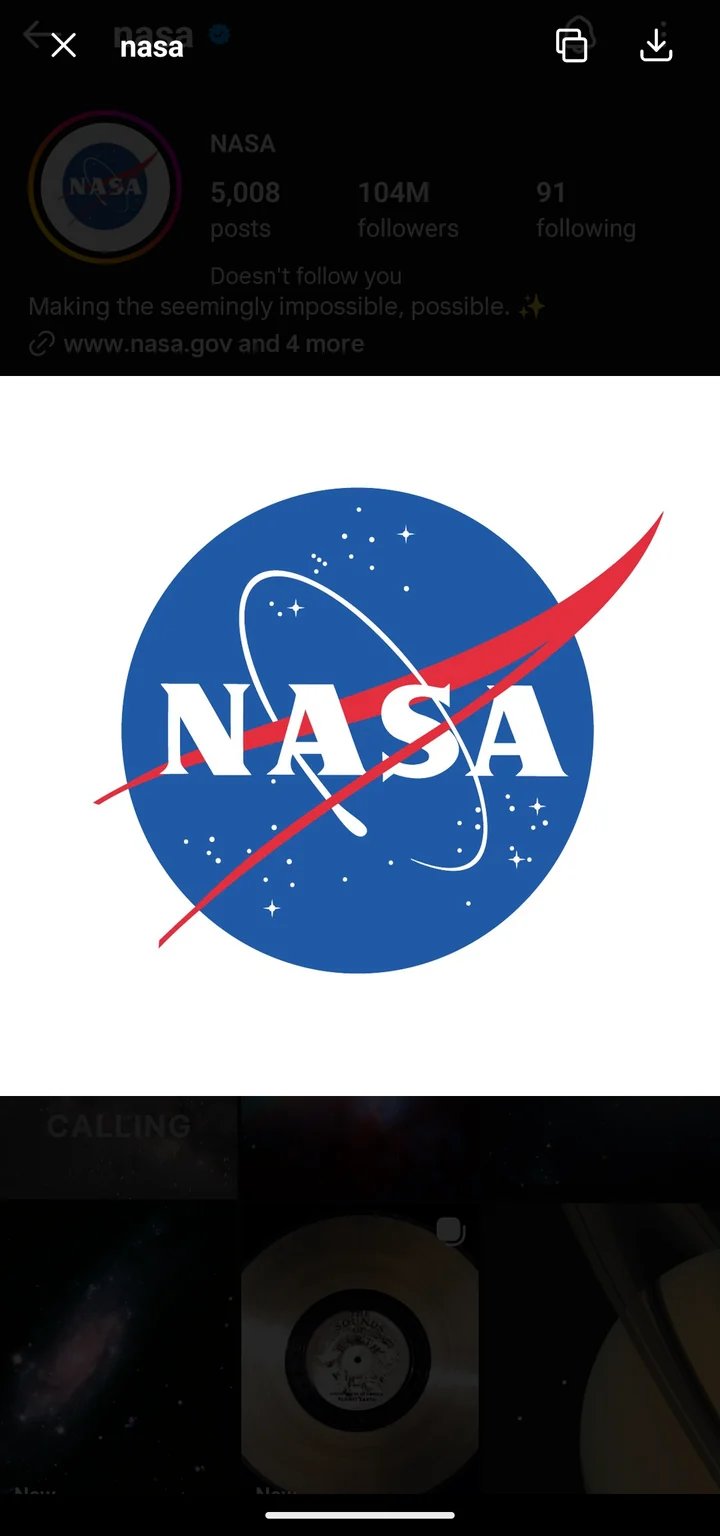
  • Full-size profile photos on long press
  • Copy captions and comments; open a post in the browser
  • Files go to Pictures/Instagram, Movies/Instagram and, for voice messages, Music/Instagram
  • "Tagged people" in a story's "⋯" menu, including hidden or tiny mention stickers
  • Reels audio and covers, highlight covers, GIFs from comments and Direct, chat theme pictures — optional
  • "Share…" sends a post's photo or video itself to other apps — optional
  • A story saved from the editor keeps its music
  • Photos and videos attached to comments
Post menu with download and copy actions

Quality and look

  • 1080p video uploads up to 9 Mbps; photos at 100% quality, up to 4K with the "4K photos" test
  • Direct without the 720p squeeze
  • Maximum viewing quality in the feed, Reels and stories instead of data saver — optional
  • Feed and story photos in the largest size Instagram sends, not the 750 px copy; pinch-to-zoom loads the full photo — optional
  • "Maximum viewing quality": photos at their original size, up to 3072 px wide, by telling Instagram the screen is wider — optional; uses much more data, and Instagram may restrict the account for it
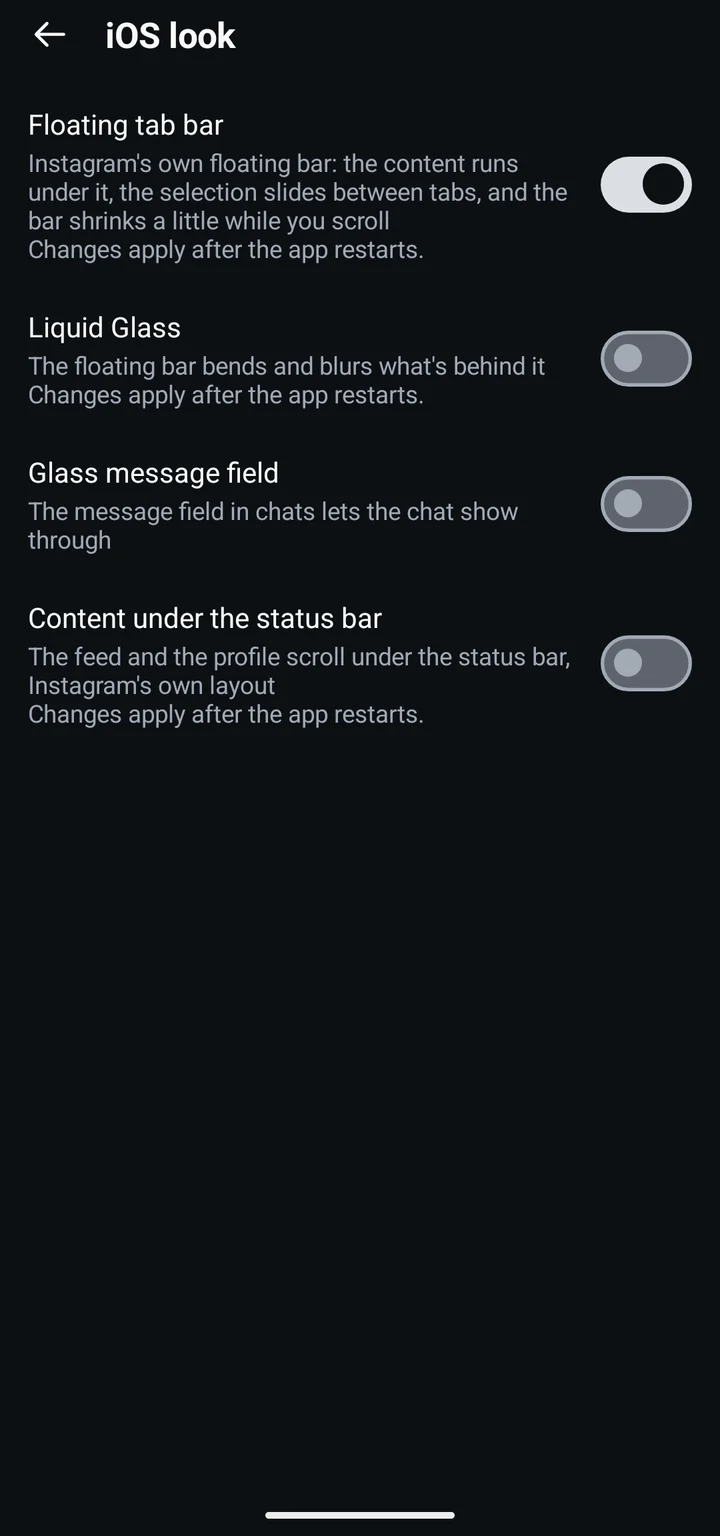
  • Instagram's own floating tab bar. "iOS look" adds Liquid Glass on it, a glass message field in chats, and the feed and profile under the status bar — optional
  • No status bar in Instagram, for screens that burn in; a swipe from the top edge shows it for a moment — optional
  • Material You colours, true black for OLED, fonts with Cyrillic: IBM Plex Sans, Inter, Nunito, Source Serif 4
  • A start screen with the name in Instagram's colours and a short "Thank you, the_dise ❤️"
  • Story ring size: small, medium, large or your own, with a preview of your tray
  • Cyrillic in story text styles that lack it, in a matching font instead of the system one
  • "Instagram tests": switch on Meta's own A/B tests, such as chat themes, more story text styles and HD photos in Direct
Liquid Glass on the tab bar
The "iOS look" settings page: Floating tab bar, Liquid Glass, Glass message field, Content under the status bar

Profiles

  • Long-press an avatar for the full photo with Save; long-press the username at the top of a profile to copy it
  • Whether the person follows you, and "doesn't follow you" under people in your own Following list
  • "Non-mutual follows": your Following list with only the people who don't follow you back, from settings or your profile's ☰ menu
  • Long-press a link in a bio to copy it or open it in the browser
A profile photo opened full size by a long press, with copy and save buttons

All features, page by page as in the settings

Install

  1. Download

    Download the APK above, or get it from the @instander_revived channel.

  2. Pick a build

    "Clone" (com.instander.revived) installs next to the official Instagram. "Original" replaces it — needed by apps that look for Instagram itself; the official one has to be removed.

  3. Install

    Allow installs from Telegram or your browser and log in.

  4. Updates

    After that, the app checks for updates and asks before downloading one; if a release is withdrawn, it offers the previous good version.

Already using the clone (1.1.1 or older)?

From 1.2 the clone is a new app, com.instander.revived. Android can't update the old one (com.instander.android) into it, so the new app installs beside the old one and you log in again. The old clone gets one last update that walks you through the move: export your settings, install the new app, import them there (settings → Backup → Import settings), uninstall the old app. The original variant is unaffected.

A checkmark for support

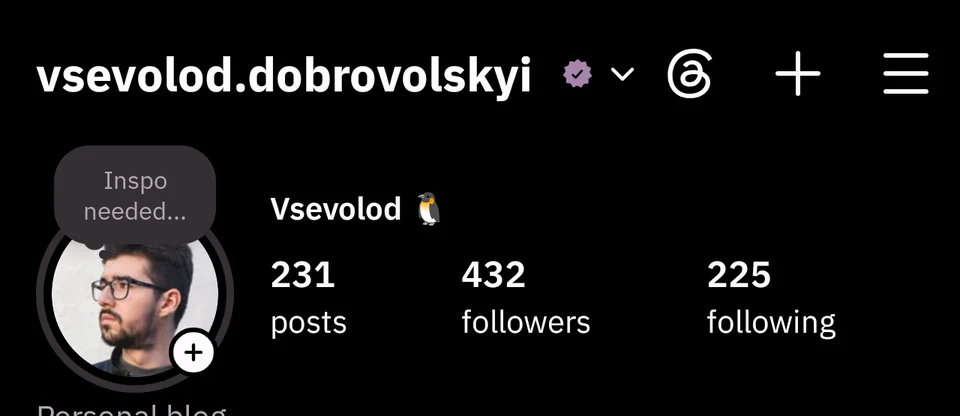
Instander Revived is a non-commercial project. Support it with 80 UAH / 2 USD or more and you get a blue checkmark next to your name for everyone who uses Instander Revived.

A supporter's profile in Instander Revived, with the checkmark next to the username

Ways to pay

monobank

Ukrainian cards, Apple Pay and Google Pay. Cards from other countries are often declined.

monobank jar

Telegram Stars

In @instander_revived_bot, from 150 ⭐. Stars are bought right in Telegram, from any country.

Pay with Telegram Stars

USDT, USDC

Send only on the network named above the address: coins sent on another network are lost.

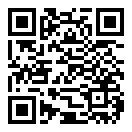
QR code: USDT · TRON (TRC20)

USDT · TRON (TRC20)

TBMReyEeoUEuo3BDC6bbgoG76k6Udi2ewL
QR code: USDT or USDC · BNB Chain (BEP20)

USDT or USDC · BNB Chain (BEP20)

0xeaf72bae62c89cf2fc3bd9324e1502e040fac84f

For the checkmark: get your code above first, then send the exact amount shown with it (its cents tie the transfer to your code) and paste the transaction ID into the form that comes with the code.

t.me/instander_revived

Questions

What does the mod collect?

Crash reports and a daily ping: a random ID, versions, phone model, language, enabled features. With the usage stats also Instagram's server settings for the device and the account; the developers' group can find an account's settings by its username. No messages or IP — the server keeps only the country. On by default outside the EEA, the UK and Switzerland (off there and when the country is unknown), but nothing is sent until you confirm. The exact contents are shown in settings.

What about my password?

Login goes straight to Instagram's servers; the mod never sees or stores it. As with any mod, Instagram may restrict an account.

Which phones?

Android 9+ on 64-bit or 32-bit ARM. The 32-bit (armeabi-v7a) builds are a beta: they haven't been tested on real phones yet. Material You from Android 12, true black from Android 11, app lock from Android 10.

Something broken?

Settings → Debug → Report a problem sends your description to the developer, with the app version, phone model, an optional contact and, if you tick it, the mod's log. Nothing goes until you tap Send, whatever the telemetry settings.

Can Instagram restrict my account?

It can. Instander Revived is an unofficial modification, not affiliated with Instagram or Meta, and using it may break Instagram's Terms of Use. In the mod's usage stats, restrictions came almost only right after signing in on a fresh install, not from downloads or any one setting. To lower the risk: sign in once and stay signed in, don't hop between many accounts, finish any "Confirm it's you" check in the app, and keep Block analytics off. A secondary account is the safest choice. Use it at your own risk.